
EpicRealism-V1
by ModelsLab-
use simple prompts
-
no need to use keywords like "masterpiece, best quality, 8k, intricate, high detail" or "(extremely detailed face), (extremely detailed hands), (extremely detailed hair)" since it doesn't produce appreciable change
-
use simple negatives or small negative embeddings. gives most realistic look (check samples to get an idea of negatives i used)
-
add "asian, chinese" to negative if you're looking for ethnicities other than Asian
-
Light, shadows, and details are excellent without extra keywords
-
If you're looking for a natural effect, avoid "cinematic"
-
avoid using "1girl" since it pushes things to render/anime style
-
to much description of the face will turn out bad mostly
-
for a more fantasy like output use 2M Karras Sampler
-
no extra noise-offset needed, but u can if you like to 😉
How to use?
Prompt: simple explanation of the image (try first without extra keywords)
Negative: "cartoon, painting, illustration, (worst quality, low quality, normal quality:2)"
Steps: >20 (if image has errors or artefacts use higher Steps)
CFG Scale: 5 (higher config scale can lose realism, depends on prompt, sampler and Steps)
Sampler: Any Sampler (SDE, DPM-Sampler will result in more realism)
Size: 512x768 or 768x512
Hires upscaler: 4x_NMKD-Superscale-SP_178000_G (Denoising: 0.35, Upscale: 2x)
epicrealism-v1Input
Output
Unknown content type
Looking for something different?
Models that trade off differently against the one you are viewing
Better quality
Newer flagship models that generally produce stronger results.



Faster Generation
Built for speed when you are iterating on a prompt.


Related Models
Discover similar models you might be interested in

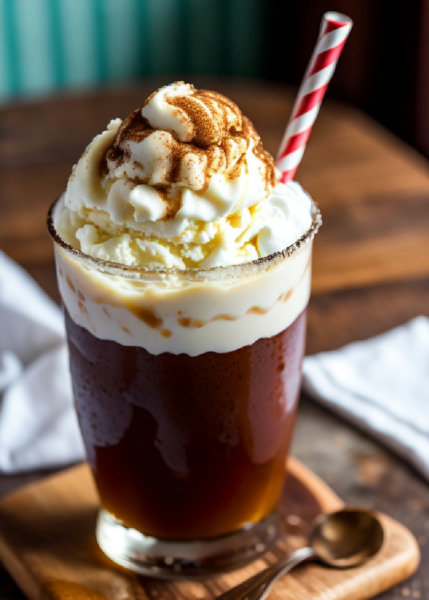
![[Illustrious, SD1.5] Chloe Cerise (Koharu) / Pokemon - v1.0 (SD1.5)](https://images.modelslab.sh/?Image=https://image.civitai.com/xG1nkqKTMzGDvpLrqFT7WA/99a43c9a-2e52-4154-ab6e-47106051c900/width=1024/562687.jpeg)

About EpicRealism-V1
use simple prompts no need to use keywords like "masterpiece, best quality, 8k, intricate, high detail" or "(extremely detailed face), (extremely detailed hands), (extremely detailed hair)" since it doesn't produce appreciable change use simple negatives or small negative embeddings. gives most realistic look (check samples to get an idea of negatives i used) add "asian, chinese" to negative if you're looking for ethnicities other than Asian Light, shadows, and detail
Technical Specifications
- Model ID
- epicrealism-v1
- Provider
- ModelsLab
- Task
- AI Generation
- Price
- $0.0047 per API call
- Added
- September 8, 2023
Quick Start
Integrate EpicRealism-V1 into your application with a single API call. Get your API key from the pricing page to get started.
import requestsimport jsonurl = "https://modelslab.com/api/v6/images/text2img"headers = {"Content-Type": "application/json"}data = {"model_id": "epicrealism-v1","prompt": "your prompt here","key": "YOUR_API_KEY"}try:response = requests.post(url, headers=headers, json=data)response.raise_for_status() # Raises an HTTPError for bad responses (4XX or 5XX)result = response.json()print("API Response:")print(json.dumps(result, indent=2))except requests.exceptions.HTTPError as http_err:print(f"HTTP error occurred: {http_err} - {response.text}")except Exception as err:print(f"Other error occurred: {err}")
Pricing
EpicRealism-V1 API costs $0.0047 per API call. Plans start at $21/month, and open-source models are unlimited on the $149/month plan. View pricing plans