Stability AI API Alternative Same Models, Flat Pricing
Moving off the Stability AI API? ModelsLab runs SDXL, SD3-class, FLUX and 10,000+ community models behind one REST API — flat monthly plans, no credit math.
ModelsLab vs the Stability AI API
Teams leave the Stability AI API for two reasons: credit-based billing that is hard to forecast, and uncertainty about the platform's direction. ModelsLab serves the same Stable Diffusion model families — plus FLUX, video, and audio — on flat monthly plans.
| Feature | ModelsLab | Stability AI API |
|---|---|---|
| Model catalog | 10,000+ models | Stability models only |
| Stable Diffusion families | SDXL, SD 1.5, SD 2.1, SD3-class | SDXL, SD3, Core/Ultra |
| FLUX models | Yes | No |
| Billing model | Flat monthly plans | Per-image credits |
| Unlimited tier | Yes — $149/mo | No |
| Video & audio APIs | Yes, same API key | Limited |
| Custom checkpoints / LoRA | Upload & train via API | Fine-tune service |
| ControlNet | Yes | Control endpoints (Sketch, Structure, Style) via REST |
| Inpainting | Yes | Yes |
| Free tier | No — paid, from $21/mo | Trial credits |
Trusted by
API Requests Processed
Registered Users
Discord Community Members
Available AI APIs
GPUs in Our Own Datacenter
Why Teams Migrate from Stability AI to ModelsLab
Keep the Stable Diffusion workflow you built — swap the billing model and the platform risk.
No More Credit Math
Stability AI bills every generation in credits, so costs climb with usage and spike with the model tier. ModelsLab plans are flat: $21/month covers 3,250 API calls, $47/month covers 10,000, and $149/month is unlimited. You always know the bill before the month starts.
A Platform That Is Not in Flux
Many teams are re-evaluating their dependence on the Stability AI developer platform. ModelsLab is an independent inference platform serving 10,000+ models — your Stable Diffusion workload does not depend on any single model vendor’s roadmap.
The Same Models, Plus Everything Else
Migrating does not mean giving up SDXL or SD-class quality. ModelsLab hosts the familiar Stable Diffusion families alongside FLUX, 10,000+ community checkpoints, LoRAs, ControlNet, video generation, and voice APIs — one key for all of it.


















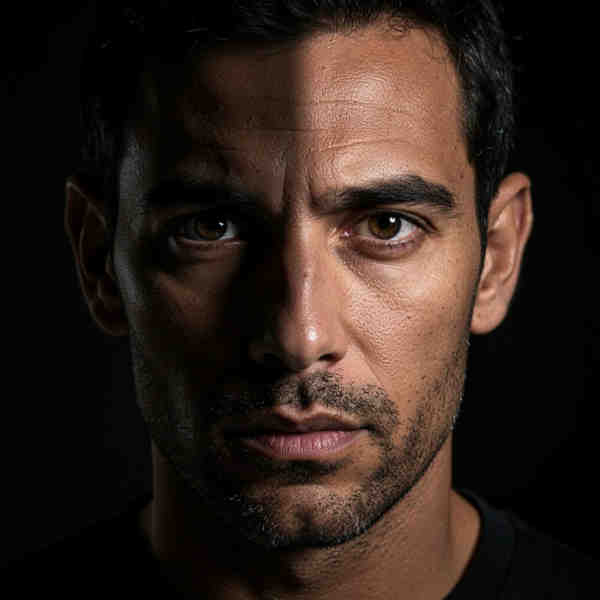




SDXL, SD 1.5, SD 2.1, SD3-class and FLUX models, ControlNet, inpainting, and community checkpoints — one API key covers all of it.
Endpoint Migration Map
Every core Stability AI REST capability has a direct ModelsLab equivalent — migration is an endpoint and payload swap, not a rewrite.
| Stability AI capability | ModelsLab endpoint |
|---|---|
| Text-to-image (Core / SD3 / SDXL generate) | POST /api/v7/images/text-to-image |
| Image-to-image (strength/prompted edits) | POST /api/v7/images/image-to-image |
| Inpainting (mask-based edits) | POST /api/v7/images/inpaint |
| Fine-tuning a custom style | LoRA training + custom checkpoint upload |
Migrate from Stability AI in Three Steps
Most Stability AI REST integrations move over with a small payload change.
Step 1: Get Your ModelsLab API Key
Create a ModelsLab account and subscribe to a plan (from $21/month). Your API key works across image, video, and audio endpoints immediately.
Step 2: Swap Endpoints and Payloads
Point text-to-image calls at /api/v7/images/text-to-image, image edits at /api/v7/images/image-to-image, and masked edits at /api/v7/images/inpaint. Responses return hosted output URLs in JSON instead of raw bytes.
Step 3: Verify Output and Go Live
Re-run your existing prompt suite, compare outputs model-for-model (SDXL to SDXL, SD3-class to SD3-class), then switch production traffic. Docs at docs.modelslab.com cover every parameter.
Code Comparison: Stability AI vs ModelsLab
Same prompt-in, image-out contract — swap the URL, key, and response field
Stability AI (Before)
import requestsresponse = requests.post("https://api.stability.ai/v2beta""/stable-image/generate/core",headers={"authorization": "Bearer YOUR_KEY","accept": "image/*"},files={"none": ""},data={"prompt": "A cat in space"})open("cat.png", "wb").write(response.content)
ModelsLab (After)
import requestsresponse = requests.post("https://modelslab.com/api/v7""/images/text-to-image",json={"model_id": "flux","prompt": "A cat in space","width": 1024, "height": 1024},headers={"key": "YOUR_API_KEY"})print(response.json()["output"][0])
Credits vs Flat Plans: the Cost Difference
Stability AI bills per image in credits, so monthly cost scales with every generation. ModelsLab plans are flat — the price you pick is the price you pay.
| Monthly workload | ModelsLab | Stability AI (credits) |
|---|---|---|
| 3,000 images / month | $21 flat (Basic, 3,250 calls) | ~$90 in credits |
| 10,000 images / month | $47 flat (Standard) | ~$300 in credits |
| 100,000+ images / month | $149 flat (Unlimited) | ~$3,000+ in credits |
| Testing before committing | $21/mo Basic (3,250 calls) | Trial credits |
ModelsLab plan pricing verified July 2026. Stability AI figures use its last published credit rates (credits × $0.01, Core-tier generation); verify current rates with Stability AI before comparing for your workload.
Key Advantages Over the Stability AI API
Key advantages that set us apart
Our Popular Use Cases
Teams migrating from the Stability AI API use ModelsLab for:
Keep shipping SDXL and SD3-class generations without renegotiating costs every month — flat plans make unit economics predictable at scale.
Related API Alternatives
fal.ai Alternative
Compare ModelsLab to fal.ai for image and video APIs.
Replicate Alternative
Compare ModelsLab to Replicate for AI API workloads.
CivitAI Alternative
Run CivitAI community models via cloud REST API.
ComfyUI API
Run ComfyUI workflows in the cloud without self-hosting.
Cheapest AI Image API
Price comparison across image generation providers.
Image Generation API
Full catalog: FLUX, SDXL, SD3-class, Kling video.
Best AI Image API 2026
How the major image generation APIs stack up in 2026.
Your Data is Secure: GDPR Compliant AI Services
GDPR Compliant
Plans from $21 a month
Basic is $21/month and Standard $47/month; self-hosted image models cost $0.0047 per image from that allowance. Open Source Unlimited is $149/month with no per-image charge on self-hosted models. Every plan covers Flux, SDXL and 10,000+ community models. Cancel anytime.
100% refund policy on monthly & yearly plans — cancel anytime
Open Source Unlimited
Mission-Critical
100% refund policy · cancel anytime
Standard
Production
100% refund policy · cancel anytime
Basic
Prototype
100% refund policy · cancel anytime
Get Expert Support in Seconds
We're Here to Help.
Want to know more? You can email us anytime at support@modelslab.com
Explore Our Other Solutions
Unlock your creative potential and scale your business with ModelsLab's comprehensive suite of AI-powered solutions.
AI Audio Generation
Text-to-speech, voice cloning, music generation, and audio processing APIs.
AI Video Generation & Tools
Create, edit, and enhance videos with AI-powered generation and transformation tools.
Engage Seamlessly with LLM
Access powerful language models for chatbots, content generation, and AI assistants.
Create Stunning 3D Models
Transform images and text into 3D models with advanced AI-powered generation.
Explore Plugins for Pro
Our plugins are designed to work with the most popular content creation software.
Build Apps with ModelsLabML API
Use our API to build apps, generate AI art, create videos, and produce audio with ease.