Unlimited Open Source Models

Get Plan
Skip to main content
Imagen

Image to 3D API - Convert Photos to 3D Models

Last updated · By ModelsLab Engineering

Create high-quality 3D assets with our multimodal AI (combining text, image, and 3D).

How the Image to 3D API works

POST one image URL to /api/v6/3d/image_to_3d and get back a textured GLB mesh you can load in Three.js, Blender, Unity or Unreal. Each model costs $0.075 against your plan (plans from $21/month), and the $149/month Open Source Unlimited plan has no per-model charge. Jobs that take longer return an id: POST /api/v6/3d/fetch/{id} or pass a webhook URL.

Image to 3D API request

Full parameter list: docs.modelslab.com/3d-api/image-to-3d

cURL — photo to GLB

curl
1curl -X POST 'https://modelslab.com/api/v6/3d/image_to_3d' \
2 -H 'Content-Type: application/json' \
3 -d '{
4 "key": "YOUR_API_KEY",
5 "init_image": "https://example.com/sneaker.png",
6 "ss_sampling_steps": 50,
7 "slat_sampling_steps": 50,
8 "output_format": "glb",
9 "temp": "no"
10 }'

Python — submit and fetch the mesh

python
1import time
2import requests
3
4API_KEY = "YOUR_API_KEY"
5job = requests.post(
6 "https://modelslab.com/api/v6/3d/image_to_3d",
7 json={"key": API_KEY, "init_image": "https://example.com/sneaker.png", "output_format": "glb"},
8).json()
9
10# Keep the fetch URL: fetch replies do not repeat it.
11fetch_url = job.get("fetch_result")
12while job["status"] == "processing":
13 time.sleep(10)
14 job = requests.post(fetch_url, json={"key": API_KEY}).json()
15
16print(job["output"][0]) # URL of the .glb file

Batch-convert a folder of images into 3D models

Run as many jobs at once as your plan allows — 5 on Basic, 10 on Standard, 15 on Open Source Unlimited. Each model costs $0.075, or nothing per model on the $149/month plan. The API takes image URLs, so upload the folder to storage you control and list the URLs first.

Python — product photos to GLB models, in parallel

python
1import time
2from concurrent.futures import ThreadPoolExecutor
3
4import requests
5
6API_KEY = "YOUR_API_KEY"
7PARALLEL = 5 # 5 on Basic, 10 on Standard, 15 on Open Source Unlimited
8
9# One public image URL per line, e.g. your product photos in S3 or R2.
10image_urls = [line.strip() for line in open("images.txt") if line.strip()]
11
12
13def to_3d(url):
14 job = requests.post(
15 "https://modelslab.com/api/v6/3d/image_to_3d",
16 json={"key": API_KEY, "image": url, "output_format": "glb"},
17 timeout=60,
18 ).json()
19 fetch_url = job.get("fetch_result")
20 while job.get("status") == "processing":
21 time.sleep(15)
22 job = requests.post(fetch_url, json={"key": API_KEY}, timeout=60).json()
23 return url, job["output"][0] if job.get("status") == "success" else job
24
25
26with ThreadPoolExecutor(max_workers=PARALLEL) as pool:
27 for source, model in pool.map(to_3d, image_urls):
28 print(source, "->", model)

Trusted by

Google logo
Salesforce logo
Amazon logo
IBM logo
Adobe logo
Sony logo
Google logo
Salesforce logo
Amazon logo
IBM logo
Adobe logo
Sony logo
Google logo
Salesforce logo
Amazon logo
IBM logo
Adobe logo
Sony logo
Google logo
Salesforce logo
Amazon logo
IBM logo
Adobe logo
Sony logo
500M+

API Requests Processed

400K+

Registered Users

5K+

Discord Community Members

300+

Available AI APIs

500

GPUs in Our Own Datacenter

Render Any 3D Asset

You imagine it, and our image to 3D model AI will create it. Here’s what it can do

Text-to-3D Generation

Convert plain text into immersive 3D experiences. Powerful scene reconstruction from text.

Image-to-3D Conversions

Advanced visual text matching and cross-modal retrieval unlock unlimited possibilities.

Generate Anything with Multimodal AI

Make characters, textures, environments, and assets in 3D. Experiment with text prompts.

Developer-First 3D API

Our image-to-3D model API comes with a user-friendly interface. It integrates seamlessly into any app or platform.
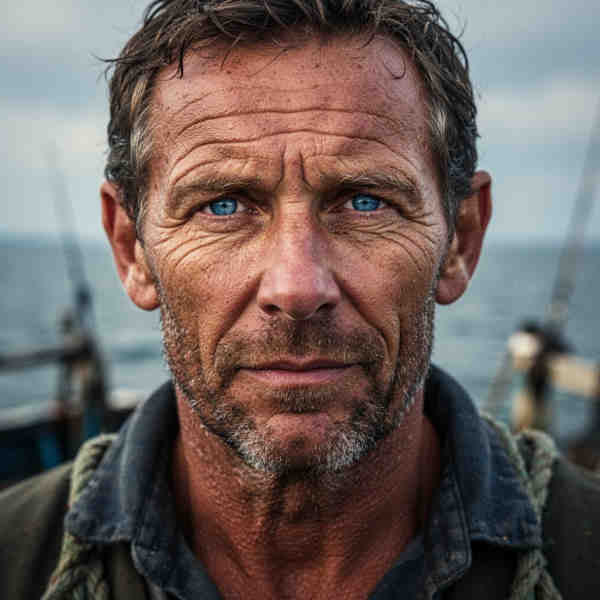
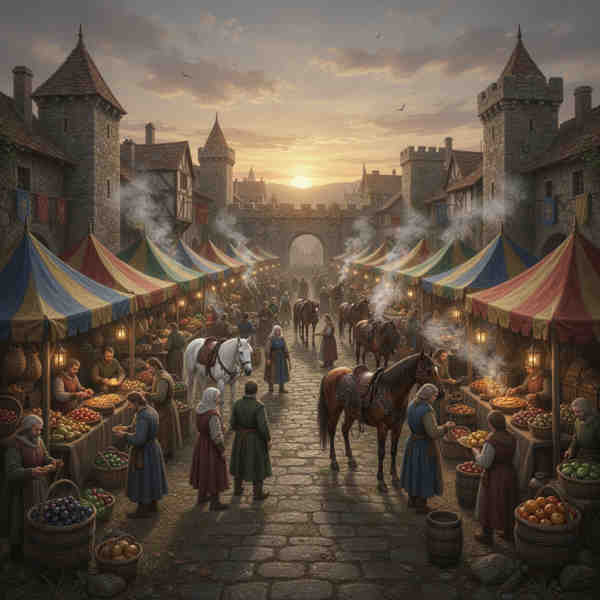
Text-to-3D Generation
Example of AI outpainting result

Gain more followers and grow your business by creating immersive 3D experiences with our image to 3D model AI.

How to Create 3D Models from Images Step-by-Step?

Transform images into 3D models in just four easy steps.

STEP 01
STEP 01

Upload Your Image

Add your 2D image to get started. Our AI analyzes depth, textures, and structure to prepare for 3D conversion.

STEP 02
STEP 02

AI Depth Analysis

Our advanced AI performs depth mapping and scene reconstruction, identifying key features and spatial relationships in your image.

STEP 03
STEP 03

Generate 3D Structure

Watch as AI transforms your 2D image into a complete 3D model with accurate geometry, textures, and spatial dimensions.

STEP 04
STEP 04

Export Your 3D Model

Download your 3D asset in multiple formats including OBJ, GLB, PLY, and STL for use in any 3D application or workflow.

What Makes ModelsLab More than Just an Image to 3D Model AI?

Text-to-3D Generation

Convert plain text into immersive 3D experiences. Powerful scene reconstruction from text.

Image-to-3D Conversions

Advanced visual text matching and cross-modal retrieval unlock unlimited possibilities.

Generate Anything with Multimodal AI

Make characters, textures, environments, and assets in 3D. Experiment with text prompts.

Developer-First 3D API

Our image-to-3D model API comes with a user-friendly interface. It integrates seamlessly into any app or platform.

Why Choose ModelsLab

Key advantages that set us apart

User-friendly interface
Semantic search for 3D models
Scene reconstruction from text
3D object recognition and attribute extraction
Converts 2D images to 3D
Natural Language Processing (NLP) and depth mapping
Text-to-3D generation
Visual text-matching and cross-modal retrievals
Support by email, live chat and Discord
Developer-first API integrations
Large Global Community
No Questions Asked 100% Refund Policy

Our Popular Use Cases

Here’s what you can do with our image to 3D tool

Craft engaging and tailored educational content in 3D for students. Simplify concepts and make learning fun.

Education

Your Data is Secure: GDPR Compliant AI Services

ModelsLab GDPR Compliance Certification Badge

GDPR Compliant

Start Creating Amazing 3D Assets in Minutes

Choose plan as per your needs, cancel anytime.

100% refund policy on monthly & yearly plans — cancel anytime

Contact Sales
Best Value

Open Source Unlimited

Mission-Critical

$149/month

100% refund policy · cancel anytime

Unlimited Open Source Models
100% refund policy
24x7 Support
15 parallel generations
Access to all APIs
Unlimited generations on all open-source models
For mission critical workloads
Add Team Members
Priority GPU Clusters
Most Popular

Standard

Production

$47/month

100% refund policy · cancel anytime

Moderate Traffic
100% refund policy
Priority Developer Support
10 concurrent API requests
For Production workloads
API access to all models
Prototype

Basic

Prototype

$21/month

100% refund policy · cancel anytime

Moderate Traffic
100% refund policy
Developer Support via Discord/Email
5 concurrent API requests
API access to all models
Shared GPU
Testimonials

Trusted by Enterprise Teams Worldwide

Enterprise Success Stories

“

ModelsLab's Voice Cloning API has revolutionized how we approach character development in our games. It's like having a studio full of voice actors at our fingertips!

Alex Rivera
AR

Alex Rivera

Game Developer at TVC

“

The ease of creating lifelike voiceovers for our e-learning courses has dramatically increased engagement. A real breakthrough for educational content!

Priya Singh
PS

Priya Singh

Instructional Designer at TVC1

“

The LLM Chat API has dramatically helped me in how I approach chat integration. It's like giving an AI voice to my application, making it truly engaging. Thanks, ModelsLab!

John H.
JH

John H.

Developer Enthusiast at Mr

“

Voice Cloning from ModelsLab gave our marketing campaigns a unique edge with custom, realistic voiceovers. It's incredibly easy to use and effective.

Michael Chen
MC

Michael Chen

Digital Marketing Manager at TVC2

Get Expert Support in Seconds

We're Here to Help.

Want to know more? You can email us anytime at support@modelslab.com

View Docs

Each model costs $0.075 on plans from $21/month, and nothing per model on the $149/month Open Source Unlimited plan.

POST https://modelslab.com/api/v6/3d/image_to_3d with your key and image (a public image URL), and optionally output_format (glb by default, or obj, stl, ply). The job is queued: POST the fetch_result URL with your key until status is success, then download the model from output.

One object, fully in frame, on a plain background. Remove a busy background first with the background remover API at $0.0047 per image, then send the cutout.

The median was 106 seconds over the latest 240 image-to-3D jobs in October 2026, measured from request to finished file, including queue time.

GLB by default, or OBJ (with its MTL file and texture image), STL or PLY. Recent GLB samples had about 1 million triangles, 35–40 MB, and WebP textures (EXT_texture_webp), so decimate them for real-time use.

Yes. ModelsLab's terms of service say every generation is yours and can be used for commercial purposes.

Upload the images to storage you control, then send one request per image URL to /api/v6/3d/image_to_3d, running as many at once as your plan allows: 5 on Basic, 10 on Standard, 15 on Open Source Unlimited. Pass a webhook URL, or poll each fetch_result URL, and save the model from output. Each model costs $0.075, or nothing per model on the $149/month plan; the Python example on this page does exactly this.

Use the same batch loop: list the product photo URLs, run parallel requests to /api/v6/3d/image_to_3d up to your plan’s limit, and collect each textured GLB from output. Shoot each product alone on a plain background, or remove the background first with the background remover API, for cleaner meshes.
Plugins

Explore Plugins for Pro

Our plugins are designed to work with the most popular content creation software.

API

Build Apps with
ML
API

Use our API to build apps, generate AI art, create videos, and produce audio with ease.