
Art Nouveau - Flux
by ModelsLabRecommended range is 0.2 - 1 strength .
The LoRA give REALLY strong effect. I would recommend starting low ~0.6 and adjusting according to your preferences. If you don't use other LoRA you will have significat difference in the composition and colors compared to stock Flux even as low as 0.2 .
I would not recommend using it above 1.3 strength.
All images in the Showcase Gallery were created using this workflow and the Flux Q4 Dev model on a machine with 8GB VRAM:
https://civitai.com/models/658639/super-simple-gguf-quantized-flux-lora-workflow
art-nouveau-fluxInput
Output
Unknown content type
Looking for something different?
Models that trade off differently against the one you are viewing
Better quality
Newer flagship models that generally produce stronger results.



Faster Generation
Built for speed when you are iterating on a prompt.


Related Models
Discover similar models you might be interested in
![Modern Anime Style [Flux] - Modern Anime Style [Flux]](https://images.modelslab.sh/?Image=https://image.civitai.com/xG1nkqKTMzGDvpLrqFT7WA/7a135a2a-f3d2-4298-bdb7-48666a59a348/width=1024/24958479.jpeg)
![KFT Style Merge Mania [FLUX] - Yoshi's Punch-Country](https://images.modelslab.sh/?Image=https://image.civitai.com/xG1nkqKTMzGDvpLrqFT7WA/316fcdf7-750e-442d-a24e-dd8cd3b11893/width=832/53832247.jpeg)
![Opossums [Didelphis genus] - Flux v1.0](https://images.modelslab.sh/?Image=https://image.civitai.com/xG1nkqKTMzGDvpLrqFT7WA/700d8651-c23a-45a8-b892-60d8ab6b0993/original=true/27494120.jpeg)

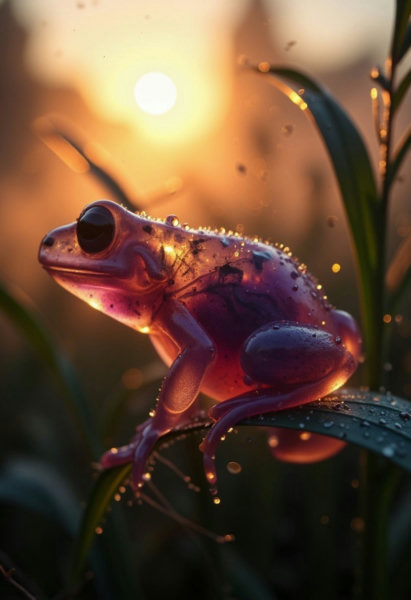
About Art Nouveau - Flux
Recommended range is 0.2 - 1 strength .The LoRA give REALLY strong effect. I would recommend starting low 0.6 and adjusting according to your preferences. If you don't use other LoRA you will have significat difference in the composition and colors compared to stock Flux even as low as 0.2 .I would not recommend using it above 1.3 strength.All images in the Showcase Gallery were created using this workflow and the Flux Q4 Dev model on a machine with 8GB VRAM:https://civitai.com/models/658639/sup
Technical Specifications
- Model ID
- art-nouveau-flux
- Provider
- ModelsLab
- Category
- Image Models
- Task
- Text to Image
- Price
- $0.0047 per API call
- Added
- June 4, 2025
Key Features
- High-resolution AI image generation from text prompts
- Negative prompt support for precise control
- Multiple output formats and aspect ratios
- Adjustable inference steps and guidance scale
- Batch generation support via API
Quick Start
Integrate Art Nouveau - Flux into your application with a single API call. Get your API key from the pricing page to get started.
import requestsimport jsonurl = "https://modelslab.com/api/v6/images/text2img"headers = {"Content-Type": "application/json"}data = {"model_id": "art-nouveau-flux","prompt": "your prompt here","key": "YOUR_API_KEY"}try:response = requests.post(url, headers=headers, json=data)response.raise_for_status() # Raises an HTTPError for bad responses (4XX or 5XX)result = response.json()print("API Response:")print(json.dumps(result, indent=2))except requests.exceptions.HTTPError as http_err:print(f"HTTP error occurred: {http_err} - {response.text}")except Exception as err:print(f"Other error occurred: {err}")
Pricing
Art Nouveau - Flux API costs $0.0047 per API call. Plans start at $21/month, and open-source models are unlimited on the $149/month plan. View pricing plans
Use Cases
- Product photography and e-commerce visuals
- Marketing and social media content creation
- Concept art and design prototyping
- Custom illustrations and artwork