Create & Edit Images Instantly with Google Nano Banana 2

Try Nano Banana 2 Now
Skip to main content
Imagen

GPT-4o Image Generation API Alternative

Looking for a GPT-4o image generation API workflow? ModelsLab gives developers a production-ready alternative with broader model choice and flexible image generation APIs.

What developers usually mean by GPT-4o image generation API

This query is really about production image workflows

When developers search for GPT-4o image generation API, they usually want a production-ready way to turn prompts into images inside their own product. The real need is less about the label and more about developer ergonomics, output quality, and deployment flexibility.

ModelsLab is a strong fit for that intent because it gives teams a broader image-generation platform instead of a single-model ceiling. Developers can start with prompt-based generation, then move into editing, model switching, fine-tuned image flows, and broader creative automation without changing vendors.


Why this page matters for the 10x plan

This is a low-KD, high-intent SFW query tied directly to API buyers. It is the kind of page that can pull in developers evaluating OpenAI-style image workflows and then route them into broader ModelsLab image API adoption.

Trusted by

Google logo
Salesforce logo
Amazon logo
IBM logo
Adobe logo
Sony logo
Google logo
Salesforce logo
Amazon logo
IBM logo
Adobe logo
Sony logo
Google logo
Salesforce logo
Amazon logo
IBM logo
Adobe logo
Sony logo
Google logo
Salesforce logo
Amazon logo
IBM logo
Adobe logo
Sony logo
1B+

Images Processed Monthly

500K+

Active Developers

5K+

Discord Community Members

300+

Available AI APIs

Image generation API quick start

Use ModelsLab as a developer-first alternative when you need prompt-based image generation in production.

Python image generation request

Python
import requests

response = requests.post(
    "https://modelslab.com/api/v7/images/text-to-image",
    json={
        "key": "YOUR_API_KEY",
        "model_id": "flux",
        "prompt": "a clean SaaS dashboard illustration with bold product shapes",
        "width": 1024,
        "height": 1024,
        "samples": 1
    }
)

print(response.json()["output"][0])

JavaScript request

JavaScript
const response = await fetch('https://modelslab.com/api/v7/images/text-to-image', {
  method: 'POST',
  headers: { 'Content-Type': 'application/json' },
  body: JSON.stringify({
    key: 'YOUR_API_KEY',
    model_id: 'sdxl',
    prompt: 'a polished hero image for an AI startup landing page',
    width: 1024,
    height: 1024,
    samples: 1,
  }),
});

const data = await response.json();
console.log(data.output[0]);

Why teams want a GPT-4o-style image API

The underlying need is usually simple: prompt-to-image generation, editing flexibility, and an integration surface that fits a production app.

Prompt-to-image generation

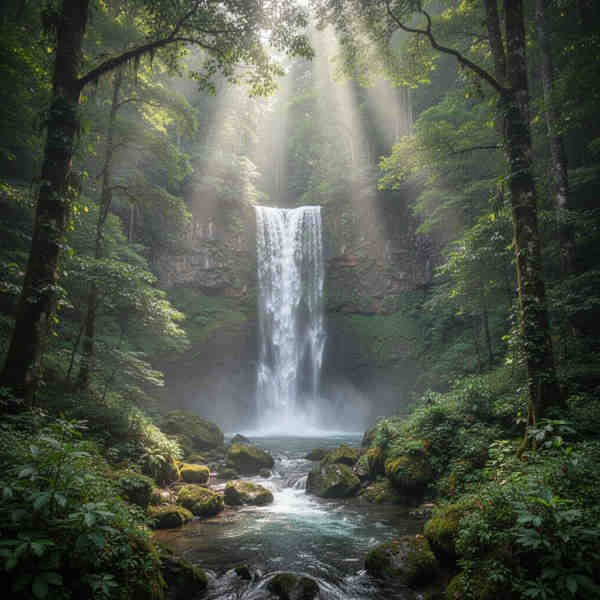
Generate product art, marketing assets, UI illustrations, mockups, and creative visuals from natural-language prompts with a straightforward REST workflow.

More than one model path

Instead of centering your product on one proprietary image model, use a platform that lets your team test Flux, SDXL, Stable Diffusion, and community-trained variants.

Built for product teams

Ship image generation inside SaaS products, internal tools, content systems, or customer workflows instead of treating image prompting like a manual side task.

Natural next step into editing and automation

Once the basic image workflow is live, the same platform can expand into editing, upscaling, background removal, and model experimentation.

Prompt-to-image generation
Example of AI outpainting result

Move from a single-model image workflow to a broader image API stack with more experimentation room and stronger production flexibility.

GPT-4o image generation API alternative comparison

ModelsLab is positioned for teams that want image-generation flexibility rather than being locked to one model path.

Workflow factorModelsLabSingle-model image workflowManual chat-first workflow
Model flexibilityHighLowLow
Batch production useYesSometimesWeak fit
Custom model experimentationYesLimitedNo
Image + video + audio on same platformYesUsually noNo
Developer workflow ownershipStrongMixedWeak

Comparison is focused on developer workflow and platform fit rather than claiming direct access to a specific third-party proprietary model.

How to move to a broader image API workflow

A practical three-step path for teams currently centered on a single-model image workflow.

STEP 01
STEP 01

Step 1: Identify the actual image workflow

Decide whether you need one-off prompt generation, batch asset production, image editing, or a repeatable workflow embedded inside your product.

STEP 02
STEP 02

Step 2: Integrate the ModelsLab image endpoint

Use the text-to-image endpoint to turn prompts into generated assets while keeping the integration simple and API-first.

STEP 03
STEP 03

Step 3: Expand into broader image operations

Once the first workflow is live, test additional image models and supporting operations without changing platforms.

The practical advantage of an alternative page

This page works because it matches the underlying search intent while staying truthful. Teams searching for GPT-4o image generation API are usually comparing workflow outcomes, not asking for a marketing phrase. If ModelsLab can solve the workflow with a better developer platform, the page is useful and commercially relevant.

That makes it a good 10x-building page: low competition, strong fit with the developer ICP, and naturally connected to existing image-generation, pricing, and alternative clusters.

Why developers use ModelsLab instead

Key advantages that set us apart

Developer-first alternative for OpenAI-style image workflows
More image model choice than a single-model path
Works for startup products and internal tools
Simple REST integration surface
Natural expansion into editing and automation
Connected to broader ModelsLab AI API stack
Strong SFW developer search intent
Good fit for product-led image features

Our Popular Use Cases

Good fits for this type of image-generation workflow:

Generate campaign visuals, ad concepts, product hero images, and launch artwork directly from structured prompts.

Marketing asset generation

GPT-4o image generation API FAQ

This page is positioned as an alternative for teams looking for GPT-4o-style image generation workflows. The value is in giving developers a production-ready image API with broader model choice and stronger workflow flexibility.

Because the search intent is highly relevant. Developers using this query are trying to solve a product problem, and an alternative page is a truthful way to meet that need while matching the commercial query.

It is for developers, founders, and product teams who want image generation inside software products rather than a manual, chat-first image workflow.

Your Data is Secure: GDPR Compliant AI Services

ModelsLab GDPR Compliance Certification Badge

GDPR Compliant

Flexible Pricing for Your AI Design & Visualization Needs

Choose the plan that fits your creative or development workflow. Cancel anytime.

Coming Soon

We are making some changes to our pricing, please check back later.

Get Expert Support in Seconds

We're Here to Help.

Want to know more? You can email us anytime at support@modelslab.com

View Docs

Plugins

Explore Plugins for Pro

Our plugins are designed to work with the most popular content creation software.

API

Build Apps with
ML
API

Use our API to build apps, generate AI art, create videos, and produce audio with ease.