Happy Horse 1.0 is now on ModelsLab

Try Now
Skip to main content
Imagen

Face Swap API for Photos and Video

Integrate face swap into your product with a single REST endpoint. Photo and video face swap, multi-face support, GDPR-compliant infrastructure, transparent pay-per-call pricing.

What is the Face Swap API?

Face swap, exposed as a developer API

A face swap API replaces the face in a target image or video with a source face while preserving lighting, skin tone, and expression. Under the hood it combines face detection, facial landmark mapping, identity embedding, and seamless blending so the output looks photorealistic instead of pasted.

ModelsLab exposes face swap as a single REST endpoint so you can ship swap features into your SaaS app, mobile product, or marketing pipeline without managing GPUs or stitching together open-source models. The API accepts standard image and video formats, returns a hosted URL for the result, and supports webhook callbacks for async generation.


What you can build with the Face Swap API

Common patterns include single-face replacement on a hero photo, multi-face swap across a group shot, and frame-by-frame swap on short video clips. The API handles face detection automatically, so you can target a specific face with a bounding box or let the model swap the largest detected face by default.

  • Single and multi-face detection with deterministic targeting
  • Photo face swap with skin-tone matching and edge blending
  • Video face swap with temporal consistency across frames
  • High-fidelity output suitable for marketing assets and try-on flows
  • Async processing with webhook callback for long video clips
  • GDPR-compliant infrastructure with no long-term image storage

Trusted by

Google logo
Salesforce logo
Amazon logo
IBM logo
Adobe logo
Sony logo
Google logo
Salesforce logo
Amazon logo
IBM logo
Adobe logo
Sony logo
Google logo
Salesforce logo
Amazon logo
IBM logo
Adobe logo
Sony logo
Google logo
Salesforce logo
Amazon logo
IBM logo
Adobe logo
Sony logo
1B+

Images Processed Monthly

500K+

Active Developers

5K+

Discord Community Members

300+

Available AI APIs

Face Swap API quick start

Swap faces in images and video frames using one REST endpoint. Send a source face plus the target media; receive a swapped result URL.

Python — single-face photo swap

Python
1import requests
2
3response = requests.post(
4 "https://modelslab.com/api/v6/face_swap",
5 json={
6 "key": "YOUR_API_KEY",
7 "init_image": "https://example.com/source-face.jpg",
8 "target_image": "https://example.com/target-photo.jpg",
9 "watermark": "no"
10 }
11)
12
13print(response.json()["output"][0])

JavaScript — async video face swap

JavaScript
1const response = await fetch('https://modelslab.com/api/v6/face_swap_video', {
2 method: 'POST',
3 headers: { 'Content-Type': 'application/json' },
4 body: JSON.stringify({
5 key: 'YOUR_API_KEY',
6 init_image: 'https://example.com/source-face.jpg',
7 init_video: 'https://example.com/target-clip.mp4',
8 webhook: 'https://your-app.com/webhooks/face-swap',
9 }),
10});
11
12const data = await response.json();
13// status: "processing" — final URL delivered to your webhook
14console.log(data);

cURL — multi-face swap

bash
1curl -X POST 'https://modelslab.com/api/v6/face_swap' \
2 -H 'Content-Type: application/json' \
3 -d '{
4 "key": "YOUR_API_KEY",
5 "init_image": "https://example.com/source.jpg",
6 "target_image": "https://example.com/group-photo.jpg",
7 "face_index": 1
8 }'

Face Swap API capabilities

Production-ready face swapping with high fidelity, natural blending, and fast processing for image and video pipelines.

Single and multi-face swapping

Swap one face or multiple faces in a single image or video. The API automatically detects all faces and lets you target specific ones for replacement using a face_index parameter for precise control.

Video face swap

Apply face swaps across video frames with temporal consistency. The output maintains natural movement, lighting transitions, and facial expressions throughout the clip. Supports MP4, MOV, and WebM.

High-fidelity blending

Advanced skin-tone matching, lighting adaptation, and edge blending produce results that look natural and photorealistic. No visible seams or artifacts even on close-up shots.

Fast processing

Process face swaps in under 2 seconds for images and near-real-time for short video. Built on dedicated GPU infrastructure for consistent performance at any scale.

Webhook callbacks

Async processing with webhook notifications. Submit long video swaps and receive callbacks when processing completes — no need to long-poll status endpoints from your backend.

Single and multi-face swapping
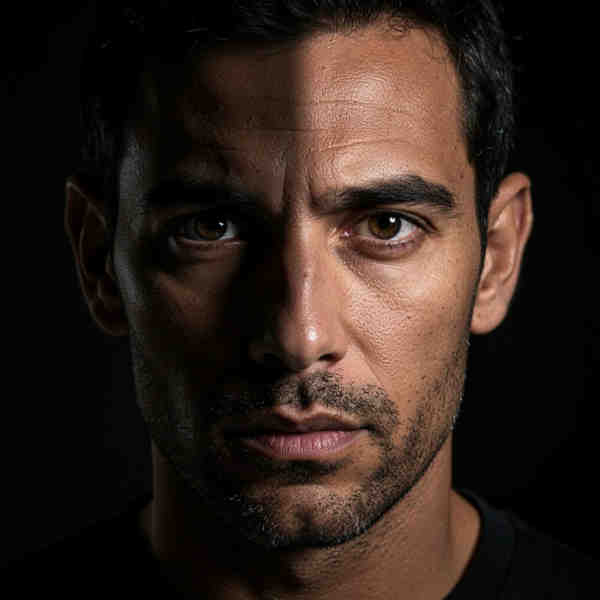
Example of AI outpainting result

Swap faces in images and video frames with enterprise-grade accuracy and speed. Designed for SaaS apps, marketing tools, e-commerce try-on, and creative platforms.

Face Swap API vs other approaches

Why teams pick a hosted Face Swap API over open-source models or DIY pipelines.

CapabilityModelsLab Face Swap APISelf-hosted (Roop / InsightFace)Generic AI API
Setup timeMinutes (sign up + API key)Days (GPU + model + serving)Minutes
Photo face swapYesYesSometimes
Video face swapYesFrame-by-frame DIYRare
Multi-face targetingface_index paramCustom codeVaries
Webhook async deliveryYesBuild itVaries
GDPR + no long-term storageYesYour responsibilityRead the docs
Pricing modelPay per swapGPU cost + DevOpsSubscription or per-second

Pricing as of 2026. Comparison based on public docs and self-hosted deployment cost estimates.

How the Face Swap API works

Swap faces in your application in three simple steps.

STEP 01
STEP 01

Step 1: Upload source and target

POST a source face image and target image (or video) URL to the face_swap endpoint. The API supports JPEG, PNG, WebP, MP4, MOV, and WebM input.

STEP 02
STEP 02

Step 2: API processes the swap

The API detects faces, maps facial landmarks, and blends the source face onto the target with automatic skin-tone and lighting adjustments. For video, it preserves temporal consistency across frames.

STEP 03
STEP 03

Step 3: Download the result

Receive the face-swapped image or video as a hosted URL — synchronously for short jobs, via webhook for long video clips. Results are CDN-distributed for fast download.

Why developers choose the ModelsLab Face Swap API

Key advantages that set us apart

Single and multi-face detection with face_index targeting
Photo and video face swap on a single REST endpoint
Sub-2-second processing for images, near-real-time for short video
Automatic skin-tone, lighting, and edge blending — no visible seams
Webhook callbacks for async video face swap delivery
JPEG, PNG, WebP, MP4, MOV, WebM input formats
Batch processing for high-volume content workflows
Python and JavaScript SDKs plus full OpenAPI spec
GDPR-compliant — images and videos are not stored after processing
Dedicated GPU infrastructure with no cold starts
24/7 developer support and SLA-backed uptime for enterprise plans
Pay-per-call pricing — no monthly minimums to start

Our Popular Use Cases

Applications powered by the Face Swap API:

Create engaging video content, memes, and viral social media posts with face-swapped visuals. Power entertainment apps with on-demand face swap features.

Entertainment and media

Face Swap API — frequently asked questions

The ModelsLab Face Swap API is a REST endpoint that swaps the face in a target image or video with a source face. It handles face detection, landmark mapping, and blending automatically, returning a hosted URL of the result. It supports JPEG, PNG, WebP, MP4, MOV, and WebM inputs and works for both single-face and multi-face scenarios.

Yes. Use the face_swap_video endpoint to swap faces across video frames with temporal consistency. Submit a target video URL and a source face image; the API processes frame-by-frame and returns an MP4 with the swapped face. For longer clips, supply a webhook URL and receive the result asynchronously instead of long-polling.

Pass a face_index parameter (zero-indexed) to specify which detected face to swap. The API returns face bounding boxes in the response so you can build UI to let your users pick the face. Without face_index, the largest detected face is swapped by default.

Photo swaps typically complete in under 2 seconds. Short video clips (5–10 seconds at 24fps) finish in 30–60 seconds depending on resolution. There are no cold starts on the dedicated GPU infrastructure, so the first request is the same speed as the thousandth.

Pricing is pay-per-call: photo face swaps start at $0.01 per request, and video face swap is billed per-second of output. There is no monthly minimum and no subscription required to get started — sign up and pay only for the swaps you generate.

Yes. Source and target media are processed in-memory and removed after the result is delivered. ModelsLab does not retain face data, embeddings, or generated outputs beyond the time required to deliver the result. A signed DPA is available for enterprise customers on request.

Yes. Enterprise plans include dedicated VPC deployments and on-premise installations for teams with strict compliance requirements. Contact sales for SLA terms, dedicated GPU sizing, and pricing.

Images: JPEG, PNG, WebP. Video: MP4, MOV, WebM. Maximum image dimension is 4096px on the longest side. Maximum video length is 60 seconds at 30fps for the standard endpoint; longer clips are supported via the enterprise endpoint with webhook delivery.

No watermark by default on paid plans. Free-tier requests include a small "ModelsLab" watermark, which can be removed by upgrading to any paid plan or by passing watermark: "no" with a paid API key.

Use the Python or JavaScript SDK, or call the REST endpoint directly with any HTTP client. The full OpenAPI specification is available at docs.modelslab.com, and code samples for cURL, Python, JavaScript, Go, and PHP are in the developer documentation.

Related developer APIs

Your Data is Secure: GDPR Compliant AI Services

ModelsLab GDPR Compliance Certification Badge

GDPR Compliant

AI Image API Pricing Starting at $0.0047 Per Image

ModelsLab offers a free tier with pay-as-you-go pricing, a Standard plan at $47/month for 10,000 API calls, and a Premium plan at $199/month with unlimited calls. All plans include access to Flux, SDXL, Stable Diffusion 3, and 10,000+ community models. Cancel anytime.

Coming Soon

We are making some changes to our pricing, please check back later.

Get Expert Support in Seconds

We're Here to Help.

Want to know more? You can email us anytime at support@modelslab.com

View Docs
Plugins

Explore Plugins for Pro

Our plugins are designed to work with the most popular content creation software.

API

Build Apps with
ML
API

Use our API to build apps, generate AI art, create videos, and produce audio with ease.